
studyplan
자바스크립트 비동기 fetch(), method : 'DELETE' .text() .status===200 사용하기 본문
자바스크립트,javaScript
자바스크립트 비동기 fetch(), method : 'DELETE' .text() .status===200 사용하기
무한머니 2022. 7. 30. 21:39
저번 포스팅에 이어서 삭제 버튼을 만들어 보겠다

// 삭제버튼 이벤트
$ul.onclick = e => {
if (!e.target.matches('.del-btn')) return;
const rno = e.target.parentElement.dataset.rno;
fetch(url + '/' + rno, { method: 'DELETE' })
.then(res => {
if (res.status === 200) {
return res.text();
}
return null;
})
.then(msg => {
if (msg === 'del-success') {
alert('삭제 성공!');
} else {
alert('삭제 실패!');
}
})
.catch(err => alert('통신 실패!'))
};
=========================================================================
$ul.onclick = e => {
버블링 효과로 인해서 ul 전체에다가 onclick 클릭 이벤트를 걸었다
if (!e.target.matches('.del-btn')) return;
만약 클릭한ul안에 .del-btn 이 아니라면 ? (.del-btn 은 class='del-btn' 이 있다는뜻 ) 되돌아가라 !
const rno = e.target.parentElement.dataset.rno;
클릭한 dataset.rno 가 rno 다 !
fetch(url + '/' + rno, { method: 'DELETE' })

'http://localhost:8183/api/v1/replies' + / + rno / rno 정보를 가진 걸 반환하는 주소 를
방법 : DELETE 삭제 라는 방법을 쓴다
.then(res => {
그 결과는 ? res 이고
if (res.status === 200) {
만약 그 결과가 200 이라면 ? // 200 은 성공 !
return res.text();
}
return null;
아니면 나가 !!
})
.then(msg => {
.then(msg 는 return res.text(); 결과이다
if (msg === 'del-success') {
alert('삭제 성공!');
} else {
alert('삭제 실패!');
}
})
.catch(err => alert('통신 실패!'))
};
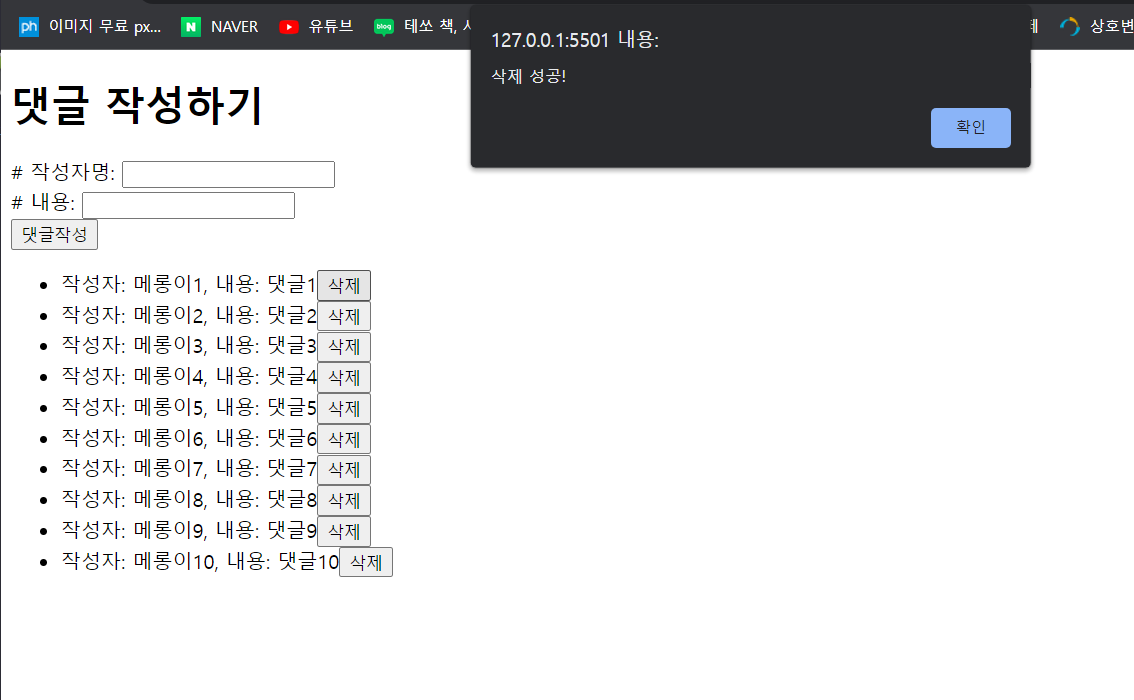
삭제 성공 !

메롱이 1 이 없어진걸 확인 할수 있다 !
'자바스크립트,javaScript' 카테고리의 다른 글
| 부트스트랩 안쓰고 모달창 만들기 -- 코린이 , modal (0) | 2022.08.12 |
|---|---|
| 자바스크립트 비동기 fetch(), .then() GET 방식 // 댓글 리스트 불러오기 /리스트 구조 만들기 (0) | 2022.07.30 |
| 자바스크립트 fetch() , then() .json() 해석 (0) | 2022.07.30 |
'자바스크립트,javaScript' Related Articles
more


Comments